First, save your Maple data — whichever app you choose
Do this part regardless of where you land. It takes about ten minutes and it is the only window you get.
Your calendar probably already survived
If Maple synced with your Google, Apple or Outlook calendar, those events live in your calendar, not Maple's. Reconnect that calendar to whatever you choose next and there is nothing to migrate.
Everything else: screenshot it
Maple has no export for lists, routines, chores or meal plans. You do not need one — open each screen and take a screenshot.
Do it before December 31
After that the data is deleted and there is no way to recover it.
Take the screenshots even if you don't choose us. Rebuilding everything from memory in January is far harder than spending ten minutes now.
Then bring them in without typing
Most guides tell you to recreate your lists by hand. You don't have to.
- 1
Screenshot your Maple screens
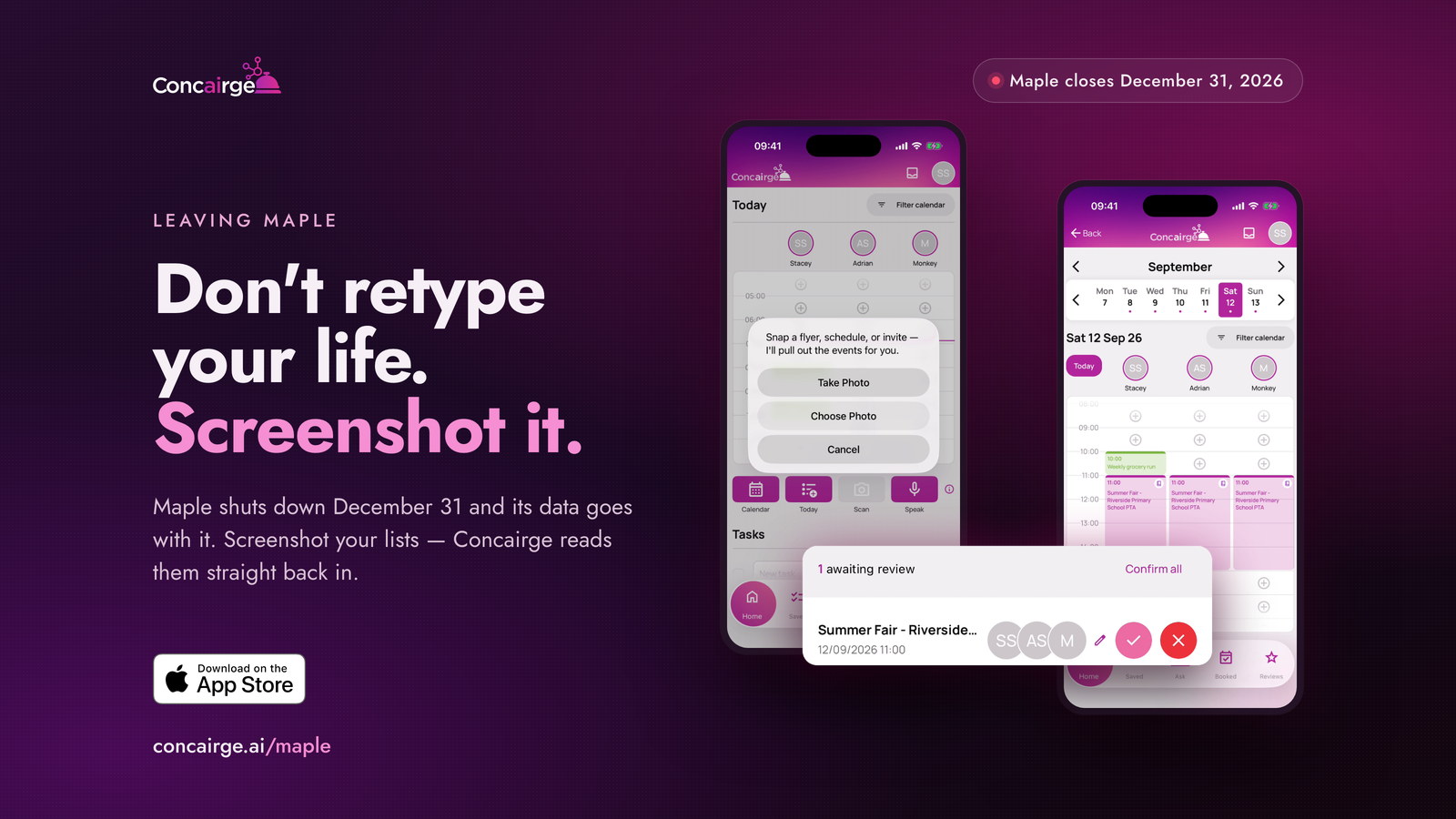
Open each screen in Maple — lists, routines, chores, the week ahead — and take a screenshot. Ten minutes covers most families. Do this before December 31.
- 2
Scan them into Concairge
Tap Scan, then Choose Photo. Concairge reads the dates, times and places straight out of the image, so you never retype them.
- 3
Approve what it found
Everything it extracts is staged for review. Nothing lands on your family calendar until you tap approve.
Works with the calendars you already use
%20--%3e%3csvg%20version='1.1'%20id='Livello_1'%20xmlns='http://www.w3.org/2000/svg'%20xmlns:xlink='http://www.w3.org/1999/xlink'%20x='0px'%20y='0px'%20viewBox='0%200%20200%20200'%20enable-background='new%200%200%20200%20200'%20xml:space='preserve'%3e%3cg%3e%3cg%20transform='translate(3.75%203.75)'%3e%3cpath%20fill='%23FFFFFF'%20d='M148.882,43.618l-47.368-5.263l-57.895,5.263L38.355,96.25l5.263,52.632l52.632,6.579l52.632-6.579%20l5.263-53.947L148.882,43.618z'/%3e%3cpath%20fill='%231A73E8'%20d='M65.211,125.276c-3.934-2.658-6.658-6.539-8.145-11.671l9.132-3.763c0.829,3.158,2.276,5.605,4.342,7.342%20c2.053,1.737,4.553,2.592,7.474,2.592c2.987,0,5.553-0.908,7.697-2.724s3.224-4.132,3.224-6.934c0-2.868-1.132-5.211-3.395-7.026%20s-5.105-2.724-8.5-2.724h-5.276v-9.039H76.5c2.921,0,5.382-0.789,7.382-2.368c2-1.579,3-3.737,3-6.487%20c0-2.447-0.895-4.395-2.684-5.855s-4.053-2.197-6.803-2.197c-2.684,0-4.816,0.711-6.395,2.145s-2.724,3.197-3.447,5.276%20l-9.039-3.763c1.197-3.395,3.395-6.395,6.618-8.987c3.224-2.592,7.342-3.895,12.342-3.895c3.697,0,7.026,0.711,9.974,2.145%20c2.947,1.434,5.263,3.421,6.934,5.947c1.671,2.539,2.5,5.382,2.5,8.539c0,3.224-0.776,5.947-2.329,8.184%20c-1.553,2.237-3.461,3.947-5.724,5.145v0.539c2.987,1.25,5.421,3.158,7.342,5.724c1.908,2.566,2.868,5.632,2.868,9.211%20s-0.908,6.776-2.724,9.579c-1.816,2.803-4.329,5.013-7.513,6.618c-3.197,1.605-6.789,2.421-10.776,2.421%20C73.408,129.263,69.145,127.934,65.211,125.276z'/%3e%3cpath%20fill='%231A73E8'%20d='M121.25,79.961l-9.974,7.25l-5.013-7.605l17.987-12.974h6.895v61.197h-9.895L121.25,79.961z'/%3e%3cpath%20fill='%23EA4335'%20d='M148.882,196.25l47.368-47.368l-23.684-10.526l-23.684,10.526l-10.526,23.684L148.882,196.25z'/%3e%3cpath%20fill='%2334A853'%20d='M33.092,172.566l10.526,23.684h105.263v-47.368H43.618L33.092,172.566z'/%3e%3cpath%20fill='%234285F4'%20d='M12.039-3.75C3.316-3.75-3.75,3.316-3.75,12.039v136.842l23.684,10.526l23.684-10.526V43.618h105.263%20l10.526-23.684L148.882-3.75H12.039z'/%3e%3cpath%20fill='%23188038'%20d='M-3.75,148.882v31.579c0,8.724,7.066,15.789,15.789,15.789h31.579v-47.368H-3.75z'/%3e%3cpath%20fill='%23FBBC04'%20d='M148.882,43.618v105.263h47.368V43.618l-23.684-10.526L148.882,43.618z'/%3e%3cpath%20fill='%231967D2'%20d='M196.25,43.618V12.039c0-8.724-7.066-15.789-15.789-15.789h-31.579v47.368H196.25z'/%3e%3c/g%3e%3c/g%3e%3c/svg%3e) Google Calendar
Google Calendar Apple Calendar
 Outlook
What to look for in a replacement
Maple set a bar worth keeping. Whatever you pick next shouldn't just be a calendar.
- A shared view the whole family actually uses
- A way to get the messy stuff in — school newsletters, invites, confirmations — without typing each one
- Reminders that reach the right person at the right time
- Something that helps you plan, not just record what is already planned
What Concairge does
It stays a step ahead
Concairge suggests local events and places your family will enjoy, and warns you when an amber weather warning or a closure is about to disrupt a plan.
You just ask it
“What should we do with the kids Saturday?” “When am I free next week?” It is a conversation, not a form to fill in.
Everyone gets their own login
The whole household — partner, grandparents, whoever helps — joins under one shared account with their own profile. It is not one person's job any more.
The messy stuff gets in on its own
Forward a booking confirmation, snap a school flyer, share a link from Instagram or TikTok. Concairge pulls out the details and shows you first.
A daily digest, not daily noise
Each evening you get a summary of tomorrow: what is on, what to pack, the weather, what time to leave.
It works with your existing calendars
Google Calendar, Apple Calendar and Outlook. Reconnect the calendar you already keep and your events are simply there.
What Concairge doesn't do
We'd rather be straight with you than have you download it expecting something it isn't.
- There is no grocery or shopping list yet. Most families bridge it with Brain Dump — speak it, and it builds the list.
- It is not a task manager in the Notion or Things sense.
- It is iPhone and iPad only right now. Android is in the works.
- Concairge is not affiliated with Maple or Wander in any way.
Simple pricing
One plan. Everything included. No surprises.
Concairge Family
Start with 2 weeks free
Introductory price for your first 3 months
then $12.95/mo — or $129.99/yr
- View up to 7 Family Calendars at a time
- Add unlimited Family Profiles (ex. Grandparents, Nanny)
- Fully personalized & customized recommendations
- Book it right from the app — dinner, tickets, activities.
- Booked Wallet — all of your bookings in one place, even when someone else sends it to you.
- Forward an email or share a screenshot — it lands on the calendar automatically.
- Proactive notifications of things going on, tailored to your family's preferences
Free for 2 weeks from first sign-in, then $9.95/mo for your first 3 months and $12.95/mo after that. Cancel in the app settings anytime — cancel before the trial ends and you pay nothing.
Questions about the Maple shutdown
- When exactly does Maple shut down?
- Maple sunsets on December 31, 2026. Annual subscriptions have already stopped renewing, and monthly plans stay active until that date.
- What happens to my Maple data after that?
- Maple's notice states that all data will be deleted and there will be no way to recover it once the app is shut down. Save anything you want to keep before December 31.
- Can I export my data from Maple?
- There is no export for lists, routines, chores or meal plans. The practical way to keep them is to screenshot each screen while the app still works.
- Will my calendar events transfer?
- If Maple was synced to Google, Apple or Outlook, those events live in your own calendar rather than in Maple, so they survive the shutdown. Reconnect that calendar to whatever you use next and there is nothing to migrate.
- Do I have to retype my lists?
- No. Concairge's Scan feature reads your screenshots and pulls the dates, times and places out of them. You review what it found and approve it.
- Is Concairge affiliated with Maple?
- No. Concairge is an independent app and has no connection to Maple or to Wander, the company Maple's team joined.
- How much does Concairge cost?
- One subscription covers your whole household, with no extra charge per family member, and your first two weeks are free. Current pricing is shown on this page and on our pricing page.
- Is there an Android version?
- Not yet. Concairge is on iPhone and iPad today, and Android is in the works. You can join the waitlist to be told when it lands.
Move your family across
Screenshot what's in Maple, scan it in, and pick up where you left off.
Want the longer walkthrough? Read the full guide